 Scutter

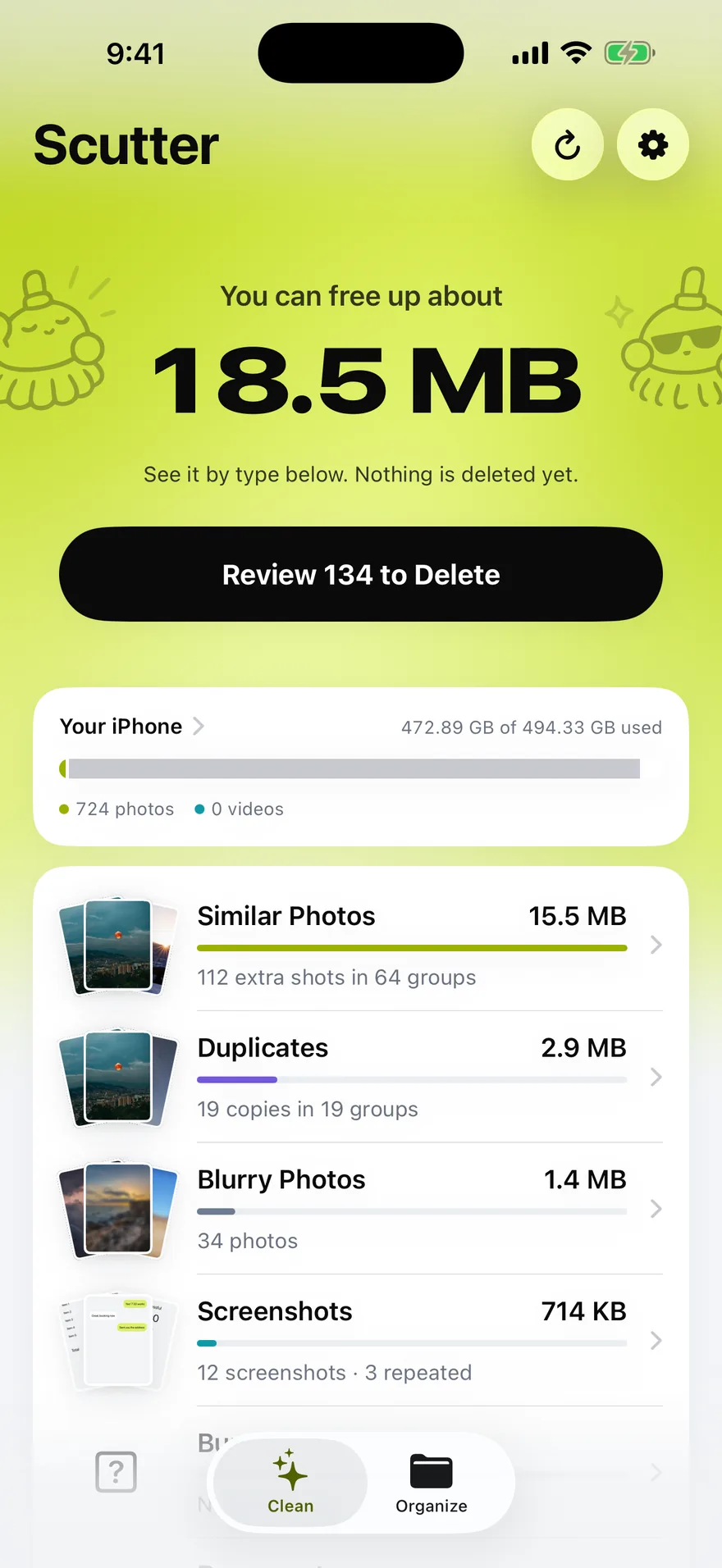
What Scutter finds
Eight kinds of photo you meant to delete
One scan sorts your whole library. Every type carries its own size, so you can see where the room actually went.
Shots taken seconds apart, grouped together, with the sharpest one kept for you.
Exact copies of the same image, however they got there.
The extra frames behind a burst that you never look at again.
Including repeats of the same screen, and screenshots saved from other apps.
Photos of paperwork, receipts and forms, spotted on the device.
The ones that came out soft, scored for sharpness rather than guessed.
Keep the picture, drop the motion, and save what the motion was costing.
The handful of clips quietly taking more room than a thousand photos.
Review
The best shot is already picked
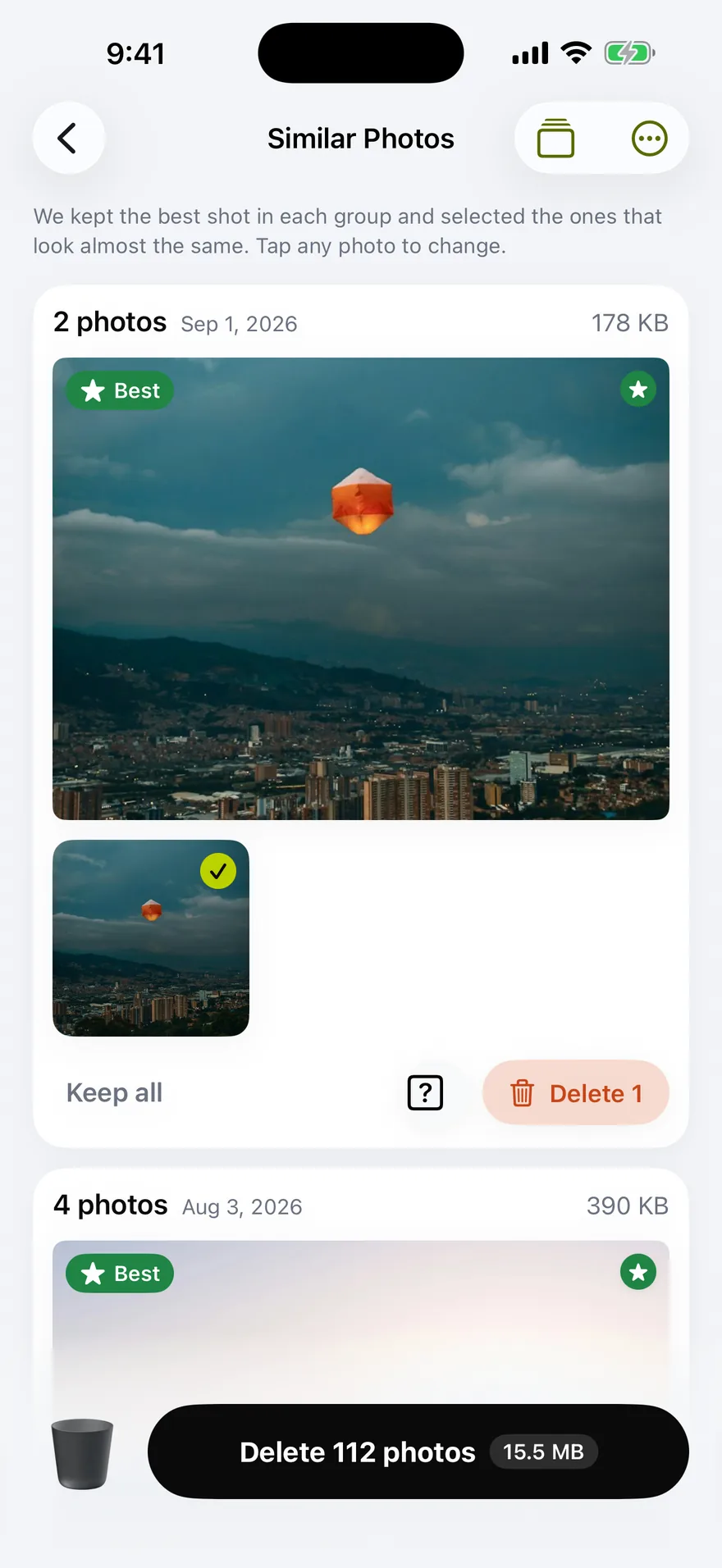
Scutter groups the photos that look almost the same, keeps the sharpest, and pre-selects the rest. You are never asked to compare twenty near-identical frames by hand — you glance, and change your mind where it matters.
- Tap any photo to keep it instead
- Keep all, or delete the group, in one tap
- Drag across a grid to select a whole run
Swipe Mode
One photo at a time, when you'd rather not think
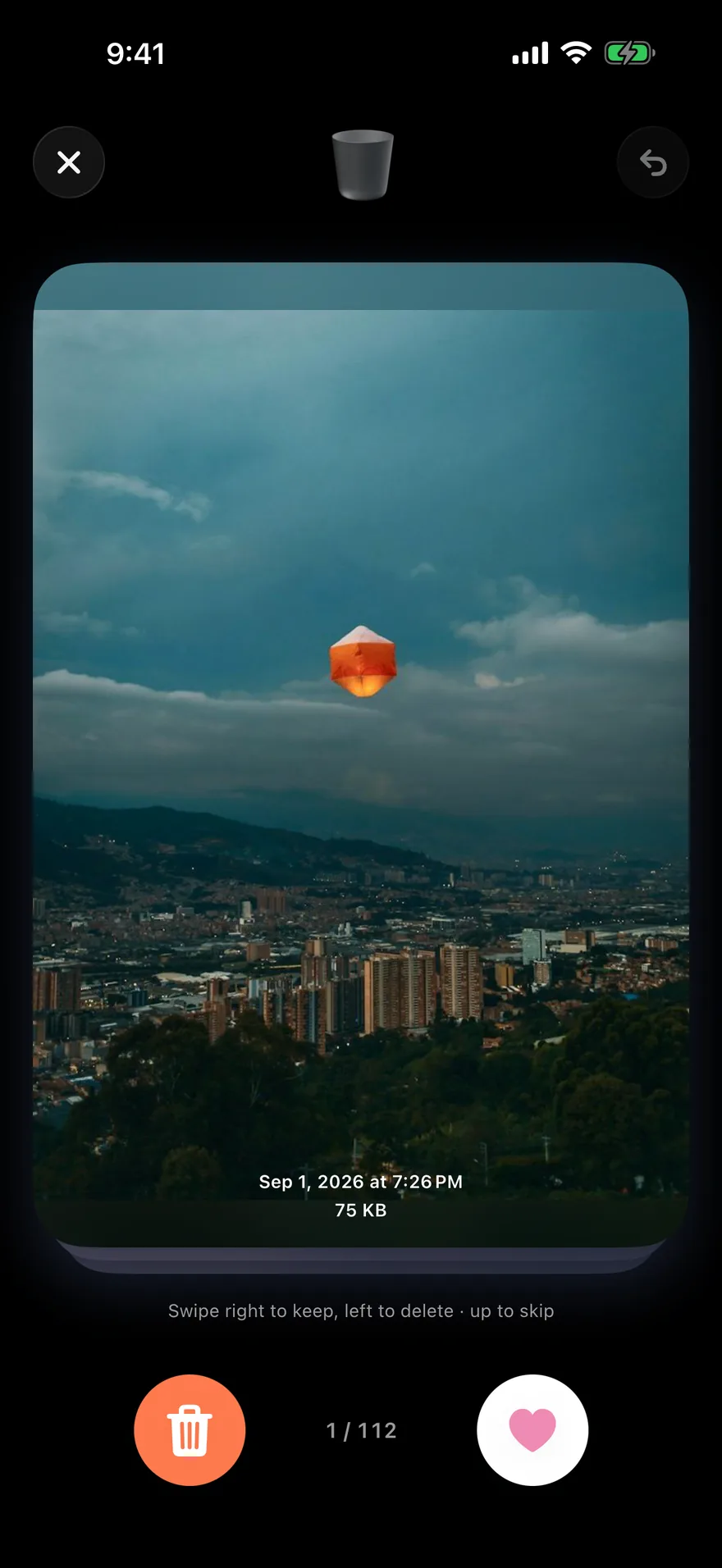
Left to delete, right to keep, up to skip. It is the same decision as the grid, made one card at a time — and everything you swipe away waits in the bin until you say go.
- Undo the last swipe whenever
- Nothing leaves the library until you confirm
Organize
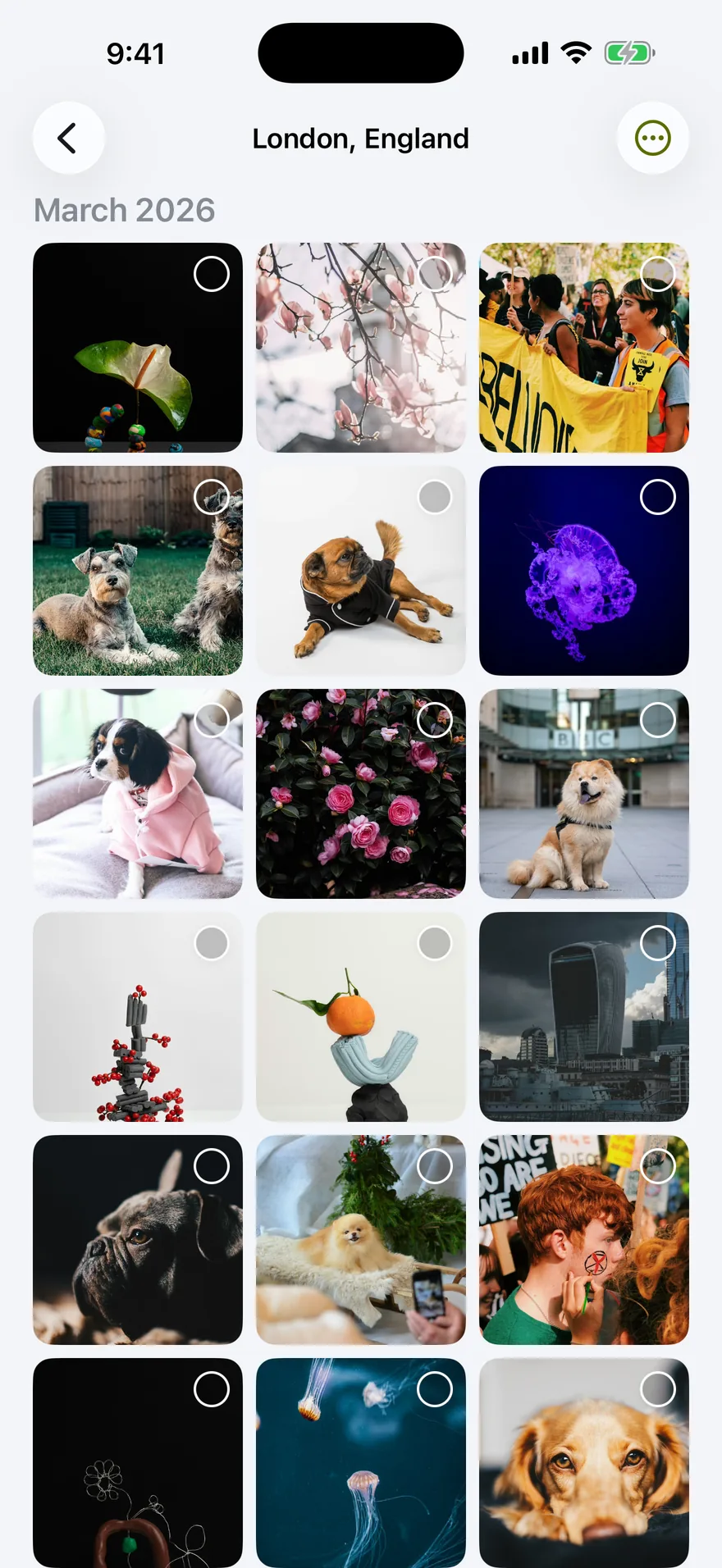
Your library as folders, with the GB on each
The second tab gathers photos and videos into folders by place, by year and by kind — Selfies, Portrait, Panoramas, Screenshots, Videos and more. Each folder carries its real size, which turns "where did my storage go" into something you can answer.
- See your places as folders or on a map
- Make categories of your own and tag photos into them
- Save any folder as an album in Photos
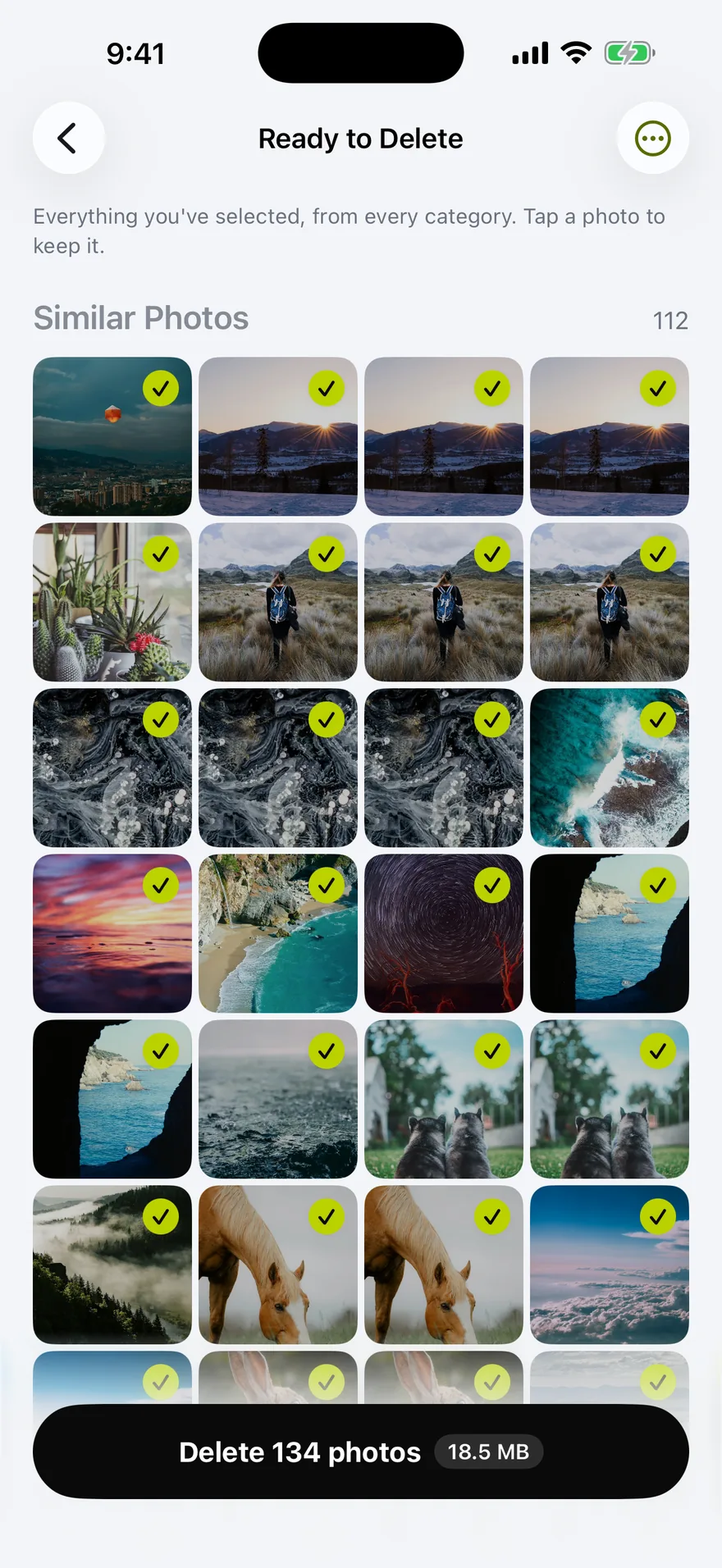
Ready to Delete
Everything you picked, in one place
Every selection across every category lands in one queue. Look through it once, tap anything to keep it, then remove the lot with a single iOS confirmation instead of one per group.
- Removed photos wait 30 days in Recently Deleted
- Scutter walks you through emptying it afterwards

The number is measured, not promised
Most cleaners show a big figure and stop there. Scutter reads your free space before and after, and only celebrates once the photos are really gone. It also splits what it found by where it lives, because deleting a photo that is already offloaded frees room in iCloud, not on the iPhone in your hand.

Your photos stay on your iPhone
There is no account and no backend of ours. Scanning, grouping and scoring all happen on the device, with Apple's on-device frameworks. No analytics, no advertising, no tracking — the App Privacy label reads "Data Not Collected".
One feature is honest about leaving. To turn a group of photos into a name like "Da Nang, Vietnam", Scutter asks Apple's map service, sending that place's coordinates — one per group, never per photo, and never the photo itself. Switch it off and places are named by their dates instead.
Plans
Generous while free, honest about the rest
No ads, and nothing the free plan has today is taken away later.
Free plan
No account, no card, no ads
- Scan and review your whole library
- Swipe Mode, folders and the map
- Remove up to 50 photos a day
- Keep up to five categories of your own
Pro
For a library that needs more than a day's worth
- No daily removal limit
- As many categories as you like
- Weekly or yearly, both with a 3-day free trial
- Or one lifetime purchase, paid once
Subscriptions renew automatically unless cancelled at least 24 hours before the period ends, and are managed in your Apple Account settings. Prices are shown in the app, in your own currency.
Questions
Before you ask
I deleted photos but my free space didn't change.
Deleted photos sit in Photos → Albums → Recently Deleted for 30 days, and still take room until that album is emptied. Scutter walks you through it and measures again when you come back.
Less space came back than Scutter estimated.
If Optimize iPhone Storage is on, your iPhone holds smaller versions and the full originals live in iCloud. Deleting those frees most of the space in iCloud rather than on the device — which is why Scutter shows the two numbers separately.
Can I get a photo back after deleting it?
Yes, for 30 days. Open Recently Deleted in Photos, select the photo and tap Recover.
Does Scutter upload my photos anywhere?
No. Photos, thumbnails and the fingerprints computed from them never leave the device. The only thing that is ever sent anywhere is a place's coordinates, to Apple, when you leave place naming switched on.
What does it need to run?
An iPhone on iOS 17.6 or later, and access to your photo library. Full access lets it see everything; with selected-photos access it can only work on what you picked.
Does it work on a big library?
That is the part it was built around. Scutter compares photos taken close together rather than every photo against every other, and results stream in as it goes instead of making you wait for the end.

Scutter is nearly here
Made by a small team. No ads, no tracking, and a free plan that stays worth using. Questions before launch? support.vidapp@gmail.com